Get Paid in Crypto: How Freelancers, Remote Workers, and Businesses Use KivoraPay
KivoraPay is a spending layer for crypto: create payment links, send invoices, get paid in crypto, and use that value for everyday financial activity.
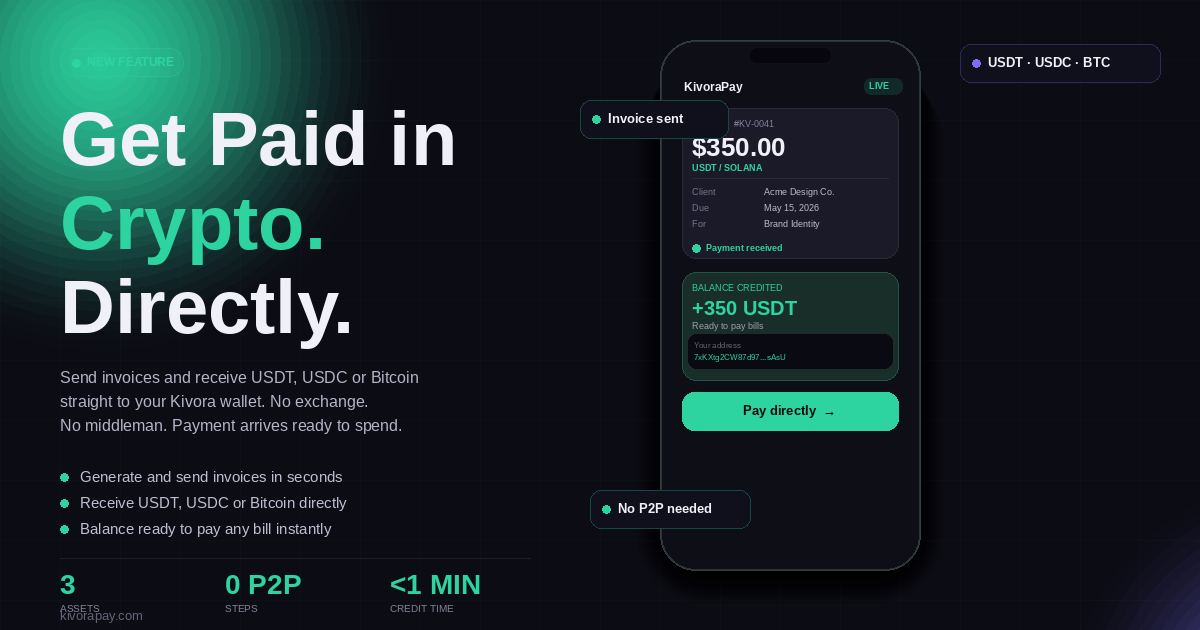
Getting paid internationally has always been a problem for Nigerian freelancers, remote workers, and small business owners. Banks are slow, fees are painful, and not every client can send naira. Crypto changed that, but until now there was no clean way to request a specific amount from a client and get it confirmed automatically.
KivoraPay solves this with two features: Receive and Invoice. Both let you get paid in crypto without asking your client to do anything complicated. They scan a QR code or click a link, send the amount, and you are done.
The Problem With Asking Clients to Just Send Crypto
Most freelancers who get paid in crypto know this friction well. You tell the client your wallet address, they send an amount, the exchange rate moves before it confirms, the amount received does not match what was agreed, and now someone has to top up or issue a partial refund. It is messy.
Payment links and invoices fix this. Instead of saying send USDT to this address, you send a link that already has the amount locked in. The client sees exactly what to pay, sends it, and the payment is confirmed automatically. No back-and-forth. No conversion confusion.
Payment Request Links: For Quick, Informal Payments
The Receive feature on KivoraPay lets you generate a payment request link in seconds. You enter the amount in naira or USDT, add an optional description, and share the link with whoever needs to pay you.
The link opens a page with a QR code and the exact crypto amount to send. Once the payment arrives on-chain, your KivoraPay balance is credited automatically at the live rate. No manual confirmation needed.
A graphic designer finishes a logo for a client in London. She creates a payment request for 85,000 naira, shares the link over WhatsApp, and gets paid in USDT before the conversation ends.
Payment request links are ideal for one-off jobs, quick service fees, market stall payments, or any informal transaction where you need someone to pay a specific amount right now.
Invoices: For Professional Billing and Record-Keeping
The Invoice feature is built for situations where you need something more formal. You can create a professional invoice with your client name, email, company, line items with descriptions, quantities and unit prices, due date, and any notes.
Every invoice gets a clean reference number in the KIV-00001 format and a unique payment link. Your client receives a professional-looking page they can pay directly from. Once paid, the invoice status updates automatically.
- 1
Go to Invoices on your KivoraPay dashboard
- 2
Enter your client name, email, and company
- 3
Add one or more line items with amounts
- 4
Set a due date and optional notes
- 5
Share the payment link directly with your client
You can view all your invoices in one place, track which ones are paid and which are pending, and use the history as a record for your own accounting.
Who Benefits Most
These features are built for anyone who earns money from outside a traditional employment structure. Here is who gets the most value:
- 1
Freelancers billing international clients for design, development, writing, or consulting work
- 2
Remote workers receiving salary or retainer payments from foreign employers
- 3
Small businesses selling products or services to diaspora customers
- 4
Content creators and influencers getting paid for brand deals or sponsorships
- 5
Tutors, coaches, and service providers charging clients overseas
- 6
Agencies splitting payments between multiple clients and projects
You Get Paid in Crypto, You Use It Like Money
Once a payment lands, your KivoraPay balance is ready for real financial activity. You can pay bills, send money, manage invoices, collect from customers, or use merchant tools depending on your account setup.
This closes the loop that has been broken for years. You earn in crypto, you use it locally, and the platform handles the hard parts in the background.
KivoraPay supports USDT and SOL on the Solana network. Payments are confirmed on-chain and credited to your balance within seconds of the transaction finalising.
No Bank Required
One of the most important things about this setup is what it does not require. You do not need a domiciliary account. You do not need to use a bureau de change. You do not need to register a business or obtain a payment gateway account. You just need a KivoraPay account and a crypto wallet on your client end.
For millions of Nigerians who have been priced out of formal international payment infrastructure, this is significant. The tools that multinationals and large exporters have had access to for decades are now available to anyone with a smartphone.
Create your free KivoraPay account and send your first invoice or payment request today.
Get Started Free